The System view
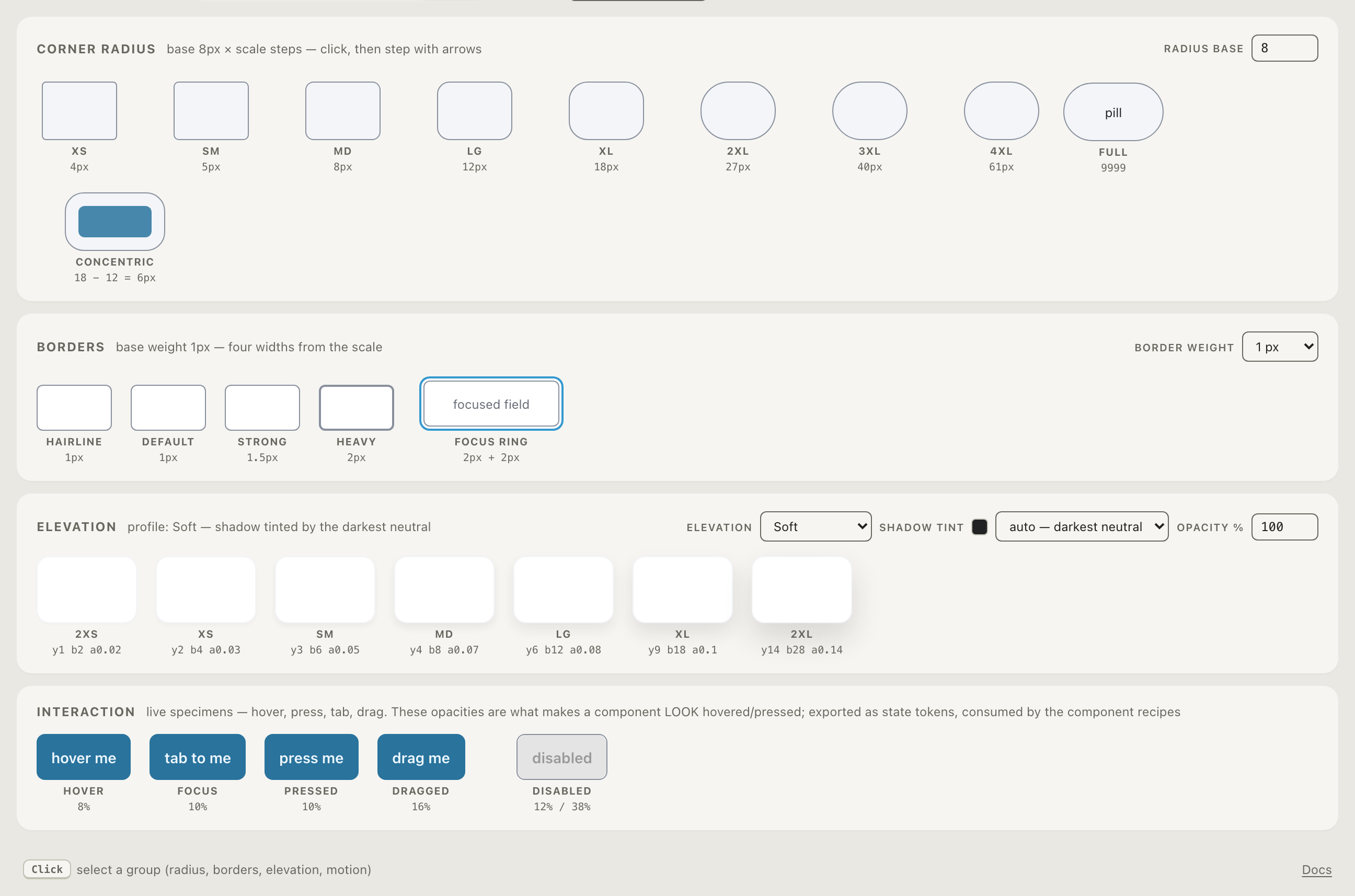
The fourth view derives the “everything else” of a design system — corner radius, border widths, elevation, and motion — from the same base and ratio as your type and color.
How the effects derive
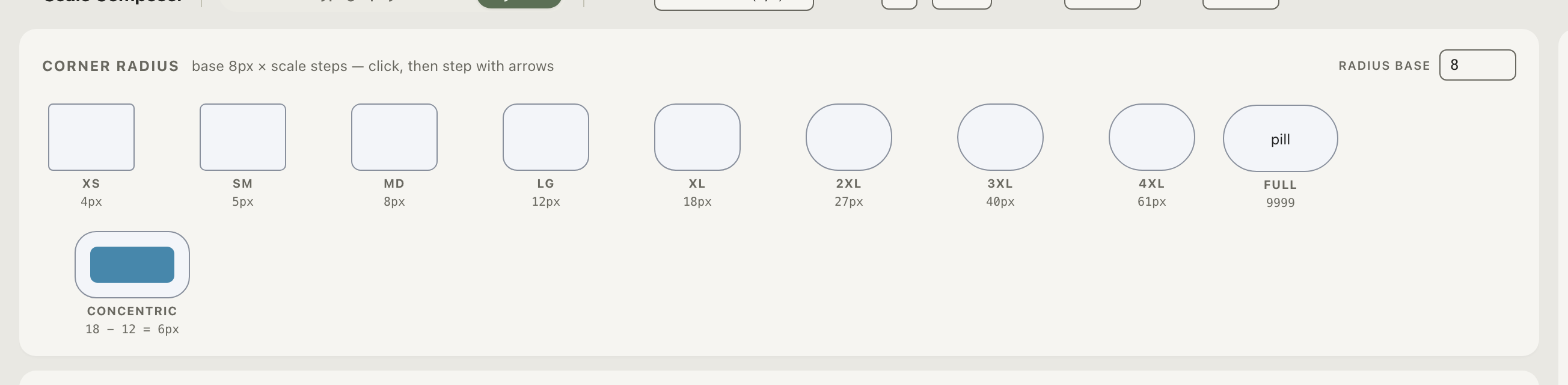
- Radius — steps follow base × ratio^(k/notes), rounded to clean pixel values, from xs through 4xl plus full. Nested surfaces follow the concentric rule: inner radius = outer radius − padding, never equal.
- Borders — hairline, default, strong, heavy: four weights that follow the scale, plus the focus-ring width and offset.
- Elevation — a shadow ladder (2xs–2xl) whose color derives from the darkest neutral, so shadows belong to the palette instead of being generic black.
- Motion — durations are scale values in milliseconds (base × ratio^n: 150 · 200 · 267 · 355 …) and four easing curves per profile, including an emphasized curve for hero moments. The demos on the canvas are live — press play and compare.
Editing
Each section has its seed controls in its own card — the radius base, the elevation profile, the border width, the motion profile — right next to what they affect. Selection and arrow-stepping work exactly like the other views: the values walk the scale.
Why effects are on the scale too
Radii and durations are usually the first tokens to rot: someone types
border-radius: 7px or transition: 180ms and nothing flags it. When
the allowed values are scale steps, the odd one out is visible — and the
exports cover the entire namespace of the target (every Tailwind radius
and shadow name, every easing), so no utility silently falls back to an
off-brand default. That completeness principle applies to every export
format the tool ships.