How to Give an AI Coding Tool Your Design System
To give an AI coding tool your design system, hand it a tokens file:
export the system as CSS custom properties or a Tailwind theme — formats
coding agents read natively — place the file in the project, and instruct
the tool to reference role names such as --color-accent instead of
writing raw values. The file stays the single source of design values, and
the AI consumes it the way it consumes the rest of your codebase.
The steps below name Cursor, v0 and Claude Code-class tools as examples, but the names are illustrative rather than a list: the mechanism is a file in the repository plus a standing instruction, and it works in any tool that reads project files. It is the practical half of the arrangement our guide to AI and design systems describes — the AI builds, while a deterministic source holds the values.
What format should the tokens file be in?
Three formats cover the practical cases, and they can carry the same names:
- CSS custom properties. Framework-neutral and read directly by any tool that writes CSS; MDN’s guide to custom properties covers how they cascade and resolve. The safest default when you are not sure what the AI will generate.
- Tailwind v4
@theme. If the project uses Tailwind, the theme block turns your tokens into utility classes — the agent then writesbg-accentandtext-accentinstead of arbitrary values, which is the same discipline expressed in Tailwind’s grammar. - DTCG JSON. The tool-neutral interchange format — not what an agent styles with directly, but the source the other two are generated from, and the form your tokens keep when they move between tools. Our DTCG format article covers it.
Pick by what the AI writes: a Tailwind project gets the @theme block,
anything else gets custom properties, and the DTCG file travels alongside
as the source of both.
How do you set it up, step by step?
- Export the system. In Scale Composer, one session exports all four
formats — DTCG JSON, CSS custom properties, Tailwind
@themeand Figma Variables — from the same state, so the names match across every one of them. If your tokens already live somewhere else, import the file first; the roundtrip preserves what came in. - Put the file in the repo. For custom properties, somewhere ordinary
like
src/styles/tokens.css; for Tailwind, the@themeblock goes in the entry stylesheet. What matters is that the file is inside the project the tool can see. - Write the standing rule. Most AI coding tools read a project-level
instructions file — the name varies by tool, the idea does not. Add a
rule along the lines of: all colors, font sizes and spacing come from
tokens.css; reference the custom properties by name; do not introduce new hex values or pixel literals. - Prompt in roles. Ask for “the accent role on the primary action”, not “a nice blue”. The vocabulary of the prompt should match the vocabulary of the file.
- Review diffs for raw values. A new hex code or a hardcoded pixel value appearing in a diff is the tell that the source was bypassed. The correction is not “change the color” — it is “use the role”.
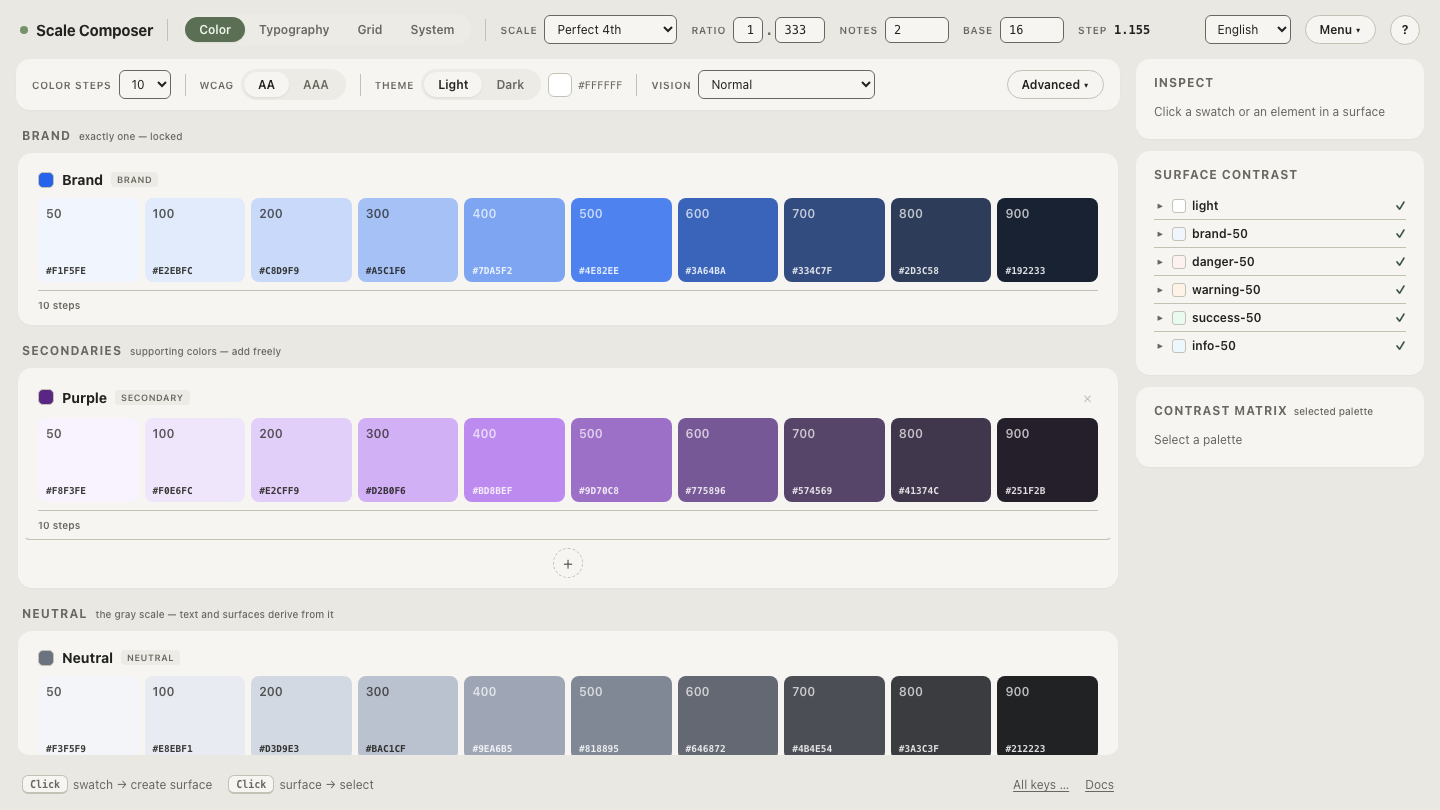
To see what the agent would actually read,
open a Tailwind v4 theme generated in Scale Composer — a
@theme block where the color ramps, type sizes and spacing steps all
descend from one global scale, ready to be pasted into a project.
Why reference roles instead of raw values?
There is one reason for the code and one for the model.
For the code: a raw value copied into a component is a fork — correct
today, orphaned at the first rebrand. A referenced role is a live link:
change what --color-accent stores and every consumer updates, including
code the AI wrote months ago. Role indirection is also what makes a dark
theme workable: Scale Composer derives its dark theme as a separate set of
values under the same role names — a derivation, not an inversion — so
code that references roles picks up considered dark values without a
single edit.
For the model: names constrain the choice space. Asked for “a blue”, a model samples from an effectively unbounded set of plausible values. Asked to pick from a dozen role names in a file it can see, the correct answer is present in its context, and the task collapses from generation to lookup. That collapse is where the consistency comes from — and its absence is why AI-generated interfaces drift off-brand.
How do you keep the file the single source?
Two habits. First, do not hand-edit the exports: an edited value in
tokens.css forks it from the DTCG source, and the next export replaces
it. When a value needs to change, change it at the source — import the
DTCG file back into Scale Composer, adjust, re-export; the roundtrip is
lossless, so the file can cycle between source and export without decay.
Second, put the same expectation in the AI’s instructions: the tokens file
is generated, so the tool should propose changes to the source rather than
edit values inline.
Does this work outside Cursor?
The mechanism generalizes to any tool that reads project files — editor-integrated agents, CLI agents, and web-based generators that accept project context. For chat-only tools the same principle applies in a coarser form: paste the tokens block at the start of the conversation, and re-supply it each session, since the source then lives in the conversation rather than the repo. Tool names and features shift quickly; the file-plus-instruction pattern has stayed stable because it leans on the one thing all these tools share — they read what is in front of them.
Start from the export
If the project is not on Tailwind, the same system leaves as plain CSS: export the same scale as CSS custom properties — identical role names in a framework-neutral form. The format is a rendering; the names are the contract. Swap the rendering to match your stack, and the instruction you give the AI stays word-for-word the same.